

Plan Deliveries with the Installation Team Module
Manage your installation team, schedule appointments. With the mobile app, installers see order details and upload photos after installation.
Schedule installation visits, keep your field team in sync.
See daily and weekly workload on the calendar. Prevent double bookings. Order and address details reach installers instantly.
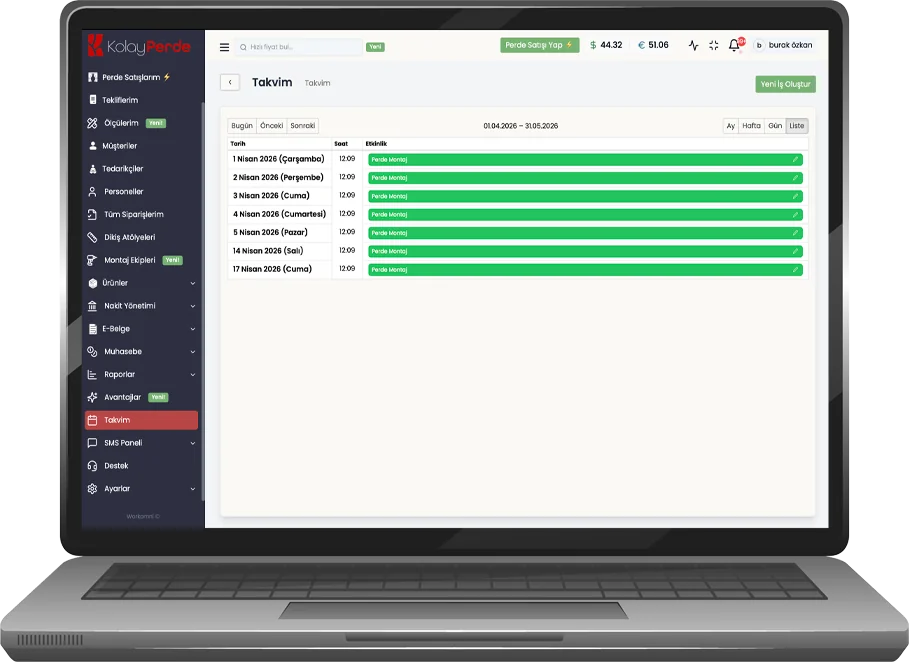
Plan Installation Appointments on the Calendar
Create appointments based on daily and weekly installation capacity. Avoid clashes, plan routes and time realistically. Store and field teams work from the same schedule.
- Sequence appointments by installer and vehicle capacity.
- See overlapping jobs on the same day with alerts.
- Prioritize by delivery dates.
Track Installation Status in Real Time
Monitor every job's stage from one screen. Update statuses instantly, filter completed installations.
- Appointment, on the way, installing, completed — all stages on one screen.
- Field team updates status from the mobile app.
- Quickly separate completed jobs and pending appointments.
Daily Installation List and Route
Gather today's installation jobs in one list. Address, product and measurement details ready on site. The crew sees the order of visits clearly.
- List daily installation tasks in priority order.
- Open order details and address on site with one tap.
- Flag missing or postponed jobs; changes sync to the office instantly.
Customer Reminders and Updates
Send automatic reminders as the installation date approaches. Manage appointment confirmation and delay notices from one channel.
- Remind customers before installation via SMS or notification.
- Communicate delays or time changes quickly.
- Keep communication history linked to the order.

Tomorrow 10:00 — installation visit
Appointment confirmation sent by SMS
Team Performance and Installation Reports
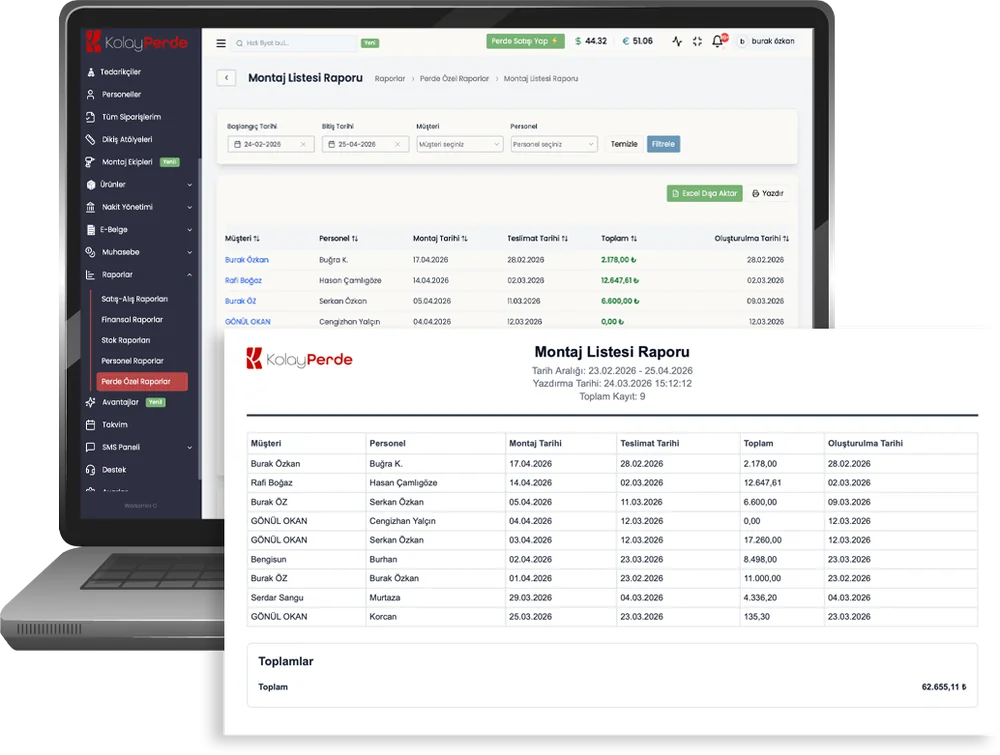
Report jobs per installer, completion times and period comparisons. Improve operations with data.
- See completed job counts per installer and crew.
- Track daily and weekly installation load with charts.
- Strengthen capacity planning with period comparisons.

Access from Every Device
Computer, tablet or phone; installers on site and you in the office reach the same data.
Cloud-Based
Your data is stored on secure servers, no backup worries.
Get Instant Reports
Track installation performance and schedule utilization with live charts.
Your Data is Secure
Top-tier security protocols mean your data is always protected.
Fast and Modern
Developed with the latest technologies for a fast and smooth user experience.
Easy Setup
Start using it in minutes with no technical knowledge required.



























Create Your Demo Account and Try Kolay Perde Now
Use free for 14 days, experience the Kolay Perde difference. Test all features, increase customer satisfaction.
Frequently Asked Questions
No, Kolay Perde has a very simple and user-friendly interface. We also provide free training support after installation. You can start using the system actively after a 1-hour training session.
All your data is stored in our secure cloud system and is regularly backed up. Only you and the employees you authorize can access your data, which is encrypted with SSL certificate.
Yes, Kolay Perde provides e-invoice integration. All your orders are recorded with e-invoice. You can issue e-archive and e-invoice for your curtain sales with one click.
You can open unlimited tickets within the system and get instant answers to all your questions with our 24/7 live support service.
Using software means receiving a service. We continuously work for you for updates, security and stabilization. With one-time payments, you may have problems finding a point of contact later. We use the Subscription and Cloud system as a solution to all of these.
Curtain software is industry-specific store management software for curtain retailers. It covers orders, measurements and quotes, roll-based stock, installation crews, e-invoicing and light accounting in one system—unlike generic ERP or e-commerce tools.
As measurement, pleat factors, fabric rolls, installation and supplier orders grow, spreadsheets and notebooks become error-prone. Curtain software standardizes those steps so quotes, stock and invoices share one record—especially valuable with multiple staff or branches.